Chapter 1: What AI is, in plain language
A question in a chat window
Picture the executive director of a small food bank at the end of a long day. The holiday drive is over. The warehouse is quiet, the last pallet is wrapped, and she still owes dozens of volunteers a thank-you letter. She opens a chat tool on her laptop, the kind with a blank box and a blinking cursor, and types a plain request: "Write a warm thank-you letter to the volunteers who worked our holiday food drive. Keep it to one page."
She presses Enter. Words begin to appear almost at once, line after line, faster than she could read them aloud. In a few seconds she has a letter. The letter opens warmly, thanks the volunteers for their time, mentions the families they helped, and closes with an invitation to come back in the spring. The grammar is clean. The tone is kind. The letter reads as if someone who knows how thank-you letters work wrote it.
She also notices what is missing. The letter does not mention the snowstorm on the second Saturday, when most of the volunteers showed up anyway. It does not name the church that lent its van. It could have been written for any food bank in the country, because, in a sense, it was.
She sits back and wonders how a box on a screen produced a decent letter in seconds. That is the right question, and this chapter answers it in plain language. You need to know just enough about how these tools work to use them well, to trust them where they earn trust, and to check them where they do not. By the end of the chapter, you will see the tool the way I want you to see it for the rest of this book: as a fast, tireless drafter that needs direction, with a person deciding what goes out the door.
AI is a big word
Artificial intelligence, or AI, is not one machine or one product. It is a broad field of computer science, and its goal has always been to get computers to do tasks that once needed human judgment: recognizing a face, understanding speech, choosing a route, and sorting the important from the unimportant.
You have been using AI for years, probably without calling it that. The filter that sends junk mail to a separate folder uses AI. So do the map that reroutes you around a traffic jam and the bank system that texts you when a charge looks unusual. The captions that appear automatically under a video come from a form of AI called speech recognition, which turns spoken words into text. None of these tools writes a letter. Each one does a narrow job, and does it quietly.
When people say "AI" in a meeting now, though, they usually mean something narrower and newer. They mean the tools that produce something new when you ask: a paragraph, an image, a summary, a block of computer code, or a spoken voice. This part of the field is called generative AI, because the tools generate new material instead of only sorting or labeling what already exists. The tool the food bank director used is a generative AI tool built on a language model, a kind of system trained to work with human language.
One idea links every part of the field. Modern AI systems are not programmed line by line to do their jobs. They learn patterns from huge numbers of examples. To see why that matters, it helps to look back, briefly, at how the field arrived here.
From rules to learning
The earliest AI programs ran on rules that people wrote by hand. A programmer who wanted a computer to spot junk mail might write an instruction such as this one: if a message contains certain phrases, move the message to the junk folder. A program that diagnosed a problem might follow a long chain of questions, each with a yes or no answer, the way a printed troubleshooting guide does.
Rules worked well in small, tidy worlds. They worked badly in the messy one. Senders of junk mail changed their phrases, and handwriting came in endless shapes. Every exception needed a new rule, and the rules began to trip over each other. Experts also found that much of what they knew could not be written down as rules at all.
So researchers tried a different approach. Instead of writing the rules, they showed the computer examples and let the computer find the patterns itself. Give a program many emails marked "junk" and many marked "not junk," and the program can work out which features tend to separate the two, including features no person thought to list. This approach is called machine learning: the machine learns from examples instead of following rules a person wrote.
Over time, one kind of machine learning pulled ahead of the others. It is called a neural network, a name borrowed loosely from the nerve cells in the brain. A neural network is built from many layers of simple math units. Each unit takes in numbers, gives some of them more weight than others, and passes a result to the next layer. Stacked in layers and trained on enough examples, the network can pick up very subtle patterns: the shape of a cat's ear in a photo, the sound of a particular word in a noisy room, or the way a sentence usually ends.
Two things made neural networks powerful enough to write letters. The first was data. The spread of the internet put an enormous amount of written text, images, and recorded speech into digital form. The second was computing power. New chips could do the needed math far faster than older machines could. Put large networks, huge amounts of text, and fast chips together, and you get the language models behind the chat tools so many people now use. Chapter 3 takes you inside the buildings where that computing happens.
How a language model writes
Here is the core idea, and it is simpler than most people expect. A language model writes by predicting what comes next.
You have seen a small version of this on your own phone. Type "See you" in a text message, and the keyboard may suggest "soon" or "tomorrow," because those words often follow "See you."
A language model does the same thing on a vastly larger scale. During its training, the model read an enormous amount of text: books, articles, websites, manuals, and letters. From all that reading, the model learned which pieces of language tend to follow which other pieces, and in which situations. When you type a request, the model looks at your words and predicts the most fitting next piece. Then the model adds that piece to the text and predicts the next one, and the next, until the answer is finished. The food bank letter was built that way, one small piece at a time.
Those small pieces have a name. They are called tokens. A token is often a whole short word, sometimes part of a longer word, and sometimes a punctuation mark. When a tool mentions tokens, the tool means these small units of text.
Try a small experiment in your head. Finish this sentence: "The library will be closed on Monday for the..." You probably thought of "holiday." You did not look the answer up. You know how sentences like that one usually end, because you have read many notices. A language model works from the same kind of knowledge, built from far more reading than any person could do in many lifetimes.
Prediction sounds simple, and in one sense it is. But predicting the next word well, across every subject people write about, requires the model to pick up a great deal along the way. To continue a recipe, the model has to have learned how recipes are organized. To continue a legal notice, the model has to have learned the formal tone of legal notices. Grammar, style, common facts, the structure of a cover letter, and the pattern of a polite refusal are all folded into those patterns. That is why a system built to predict the next word can draft a grant summary, translate a flyer, or write a short computer program.
Some tools add a step before the writing begins. They search the web, or they search files you have shared, and they hand what they find to the model along with your question. That step can make an answer more current and more specific. The writing itself still works by prediction.
Why it sounds so sure
A language model is trained to produce text that fits. Most of the text the model learned from was written by people who sounded as if they knew what they were saying: published articles, reference pages, instructions, and answers. So the model's predictions take on that same steady, confident tone. The model produces well-formed sentences because well-formed sentences are what it learned to produce.
Notice what that means. The smooth tone comes from the way the model writes, not from a check on whether the content is true. A person who is unsure usually shows it. They pause, hedge, or say, "Let me find out." A language model has no built-in sense of doubt that works the same way. The model can produce a correct sentence and an incorrect sentence in exactly the same calm voice.
As a human factors engineer, I pay close attention to the cues people use to decide whether to trust something. Confidence is one of the strongest cues we have. We tend to believe a speaker who sounds sure, writes clearly, and never stumbles. A language model sends that cue every time, whether the content deserves trust or not. Sounding right and being right are two different things, and with these tools the two can come apart.
The food bank letter shows the gentler side of this. The model knew nothing about the snowstorm or the borrowed van, because nobody mentioned either one, so the model filled the gaps with what thank-you letters usually say. Sometimes filling gaps produces something generic. Sometimes filling gaps produces something false. Chapter 2 looks closely at that second case, including why these tools can make things up and what a person's review protects. For now, hold on to one simple rule: fluent is not the same as accurate.
Training and everyday use
A language model has two very different moments in its life, and mixing them up causes a lot of confusion.
The first moment is training. Training is the long process in which the model learns its patterns. The company or research group that builds the model gathers a huge collection of text and runs that text through the network over and over. Each time the model predicts a piece of text, the training process checks the guess against the real text and adjusts a vast number of internal settings, called parameters, so the next guess is slightly better.
A second stage of training usually follows. People write example questions and good answers, and they rate the model's responses as more or less helpful, clear, and safe. The model is then tuned toward the kinds of answers people rated well. This stage is the reason a chat tool answers your question politely instead of simply continuing your sentence. Training takes specialized computers, a great deal of electricity, and many skilled people, and Chapter 3 explains that work.
The second moment is everyday use. Engineers call this stage inference, which simply means the finished model is being used to produce answers. When you type a request into a chat tool, your words run through a model that has already been trained, and the model predicts a response. During your conversation, the model can work with everything said so far, so it can follow along as you refine a draft. That is not the same as learning. When the conversation ends, the model itself has not changed. Some tools offer a memory feature that saves notes about you for later conversations, but a saved note is not a change in the model.
Whether a company keeps your conversations and uses them to train future versions of its model is a separate question. The answer depends on the tool, the type of account, and the settings, and the answer lives in the fine print. Chapter 2 takes on the belief that anything you type stays private, and Chapter 10 shows you how to read a tool's terms before your team uses the tool.
One more consequence of training is worth knowing. A model learns from text gathered up to a certain point, and then training stops. After that point, the model knows nothing new unless a tool feeds the model fresh information, such as search results.
An analogy may help you hold the two moments apart. Training is like a musician's years of practice: scales, lessons, and thousands of hours that shape how the hands move. Everyday use is like that musician playing a request at a wedding. The performance draws on all that practice, and it happens in minutes. The practice is where the skill was built. The performance is where you hear it.
What AI does well
Once you understand that a language model learned patterns from enormous amounts of writing, its strengths make sense. The model is strongest where patterns matter most and where a person can check the result quickly. Five strengths stand out for the kinds of organizations this book serves.
Drafts. A blank page is slow. A rough draft is fast to fix. A language model can produce a first version of a newsletter, a job posting, a board report outline, a meeting agenda, or a reply to a common question in seconds. The draft is rarely finished, but a draft gives you something real to respond to quickly, and responding is easier than starting.
Variations. The model can rewrite the same message many ways: shorter, warmer, more formal, at a lower reading level, for a social post instead of a letter, or in another language. This strength matters for small teams that need to say one thing to several audiences. A city clerk can turn a council notice into a plain-language summary for residents and a short post for the city's social accounts, then check each version against the original.
Summaries. The model can read a long document and pull out the main points of a grant guideline, a vendor contract, a set of meeting minutes, or a stack of public comments. A summary helps you decide where to look closely, so open the original whenever a decision depends on the details.
Code. Programming languages are languages, and models learned from huge amounts of published code. A model can write a small script that cleans up a spreadsheet, a spreadsheet formula you could not remember, or the starting structure of a web page. Chapter 13 shows how to use this strength to build a website, with a person checking every page.
Checks. A model can review your work against a list you give it. The model can flag sentences that run too long, point out images that lack alt text (a short written description that a screen reader, the software many blind people use, reads aloud), or compare a document to your style guide. A check from AI is a second pair of eyes, not a final word. The check catches some problems and misses others, so it adds to a person's review instead of replacing that review.
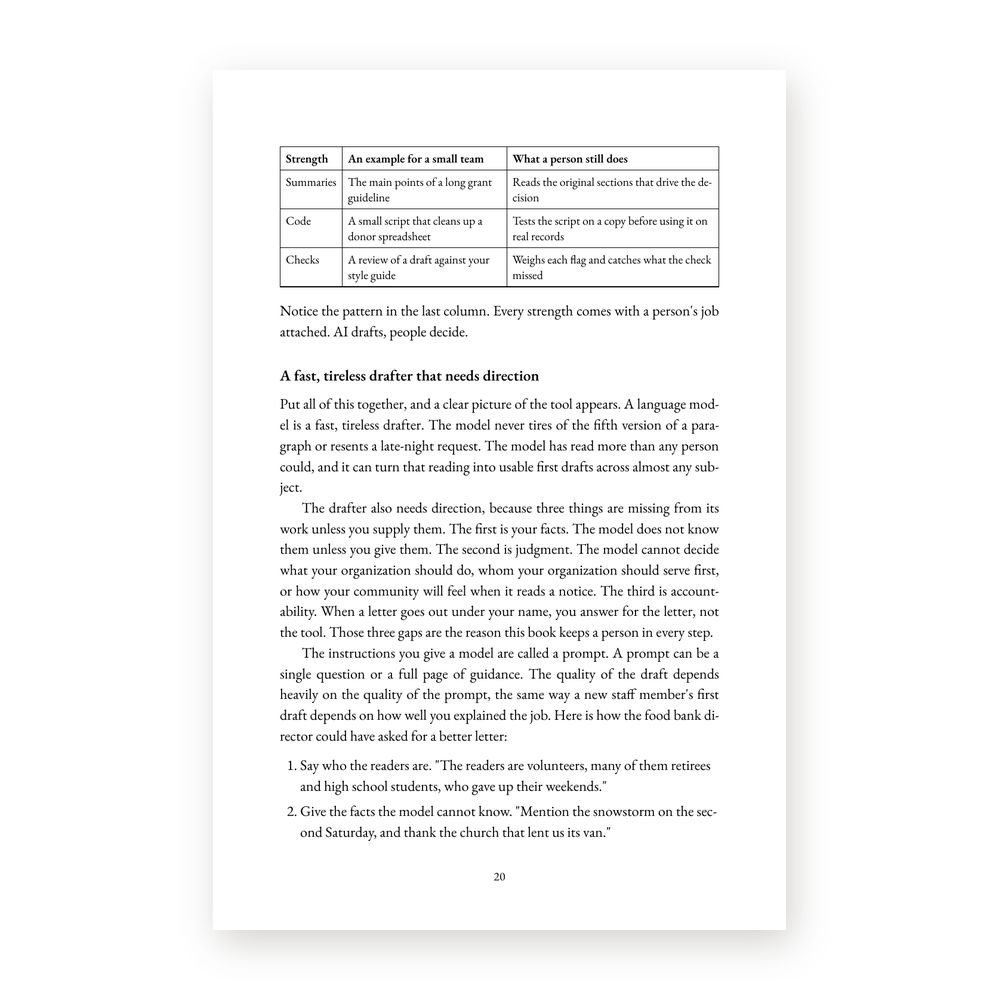
| Strength | An example for a small team | What a person still does |
| Drafts | A first version of the volunteer newsletter | Adds the real details, checks every fact, and decides whether the newsletter goes out |
| Variations | One notice rewritten as a letter, a web update, and a short post | Confirms that each version still says the same true thing |
| Summaries | The main points of a long grant guideline | Reads the original sections that drive the decision |
| Code | A small script that cleans up a donor spreadsheet | Tests the script on a copy before using it on real records |
| Checks | A review of a draft against your style guide | Weighs each flag and catches what the check missed |
Notice the pattern in the last column. Every strength comes with a person's job attached. AI drafts, people decide.
A fast, tireless drafter that needs direction
Put all of this together, and a clear picture of the tool appears. A language model is a fast, tireless drafter. The model never tires of the fifth version of a paragraph or resents a late-night request. The model has read more than any person could, and it can turn that reading into usable first drafts across almost any subject.
The drafter also needs direction, because three things are missing from its work unless you supply them. The first is your facts. The model does not know them unless you give them. The second is judgment. The model cannot decide what your organization should do, whom your organization should serve first, or how your community will feel when it reads a notice. The third is accountability. When a letter goes out under your name, you answer for the letter, not the tool. Those three gaps are the reason this book keeps a person in every step.
The instructions you give a model are called a prompt. A prompt can be a single question or a full page of guidance. The quality of the draft depends heavily on the quality of the prompt, the same way a new staff member's first draft depends on how well you explained the job. Here is how the food bank director could have asked for a better letter:
- Say who the readers are. "The readers are volunteers, many of them retirees and high school students, who gave up their weekends."
- Give the facts the model cannot know. "Mention the snowstorm on the second Saturday, and thank the church that lent us its van."
- Describe the voice. "Write warmly and simply, in short sentences, the way I would talk to a neighbor."
- Set the limits. "Keep the letter under one page, and do not invent numbers or names."
- Read the draft as its editor. Check every fact, change anything that does not sound like your organization, and decide whether the letter is ready to send.
The first four steps give the drafter direction. The fifth step is the one that never goes away. Chapter 11 shows you how to turn this kind of direction into lasting guidance, called rails, that your whole team and your AI tools can follow every time.
What comes next
The food bank director's question deserved a real answer, and now you have one. The box on her screen did not understand her food bank the way she does. The tool predicted a letter, one small piece at a time, from patterns it learned in a huge amount of human writing. That is a remarkable thing for a machine to do. It is also a specific thing, with specific limits.
Knowing how the tool works is the first step. The next step is clearing away the stories people tell about AI, the hopeful ones and the frightening ones alike. Chapter 2 sets each of those stories next to the facts.
Try this next
- Open an AI chat tool your organization already allows, ask the tool to draft one routine message with no private information, and mark every place where the tool guessed instead of knowing.
- Ask the same tool to rewrite that draft three ways, for a different reader each time, and decide which version you would actually send.
- Write the same request again using the five steps in this chapter, and compare the new draft with the first one.
- List three tasks your team repeats every week, and mark each one as drafting, variations, summaries, code, or checks, or as work that needs human judgment from start to finish.
- Share this chapter's table with one colleague, and agree on who reviews AI drafts before anything leaves your office.