
A Practical Digital Organization Course for Accounts, Files, Devices, and Records
Learn How to Inventory What You Have, Make Better Decisions, and Build a Foundation You Can Maintain
When people decide to organize their digital lives, they often begin with whatever looks the most cluttered.
They delete files from the desktop, unsubscribe from email lists, move photographs into new folders, or remove unused applications. The immediate result can feel satisfying, but the larger problem often remains. Important information is still scattered across several devices, accounts are still difficult to track, and records still live in more places than anyone can remember.
The issue is not that these cleanup projects are useless. It is that they are usually completed without first understanding the full scope of what needs to be managed.
Digital organization does not begin with deleting. It begins with understanding what you manage.
A practical digital organization course can help you identify your accounts, files, devices, applications, records, and storage locations before you begin moving or removing anything. Once you know what you have, you can make better decisions about what should remain active, what should move, what belongs in an archive, what needs to be documented, and what no longer deserves your time or storage space.
That is how you begin building the foundation of a well-managed digital life.
Digital Organization Is Larger Than File Cleanup
Files are an important part of digital organization, but they are only one part.
Your digital life may include email accounts, computers, phones, tablets, applications, subscriptions, cloud-storage services, external drives, photographs, financial records, healthcare documents, household information, business platforms, and online services.
Some of these resources contain information. Others provide access to information. Some require recurring payments or administrative attention. Others connect to accounts that can be used for identity verification or password recovery.
This means digital organization must address more than visible clutter. It must also help you understand what you have, where it is located, how it is connected, why you still need it, and what responsibility it creates.
A clean desktop does not tell you which email account controls access to your financial services. A tidy folder structure does not identify the subscriptions charged to an old credit card. An empty downloads folder does not tell your family where important insurance records are stored.
Those questions require a broader approach.
Why Digital Cleanup Attempts Often Do Not Last
Many digital cleanup efforts begin with activity instead of assessment.
Someone creates a new folder structure before determining which files belong together. They delete old documents without checking whether another copy exists. They move information into cloud storage without deciding whether that platform should become its permanent home. They clean one device without reviewing the files stored on other computers, phones, or external drives.
The result may look more organized temporarily, but the underlying decisions have not been made.
Digital cleanup may also become unnecessarily complicated. A person creates dozens of folders, overly detailed naming rules, or categories they will not remember six months later. The structure becomes another burden rather than a useful way to manage information.
Other people focus almost entirely on deleting. Removing unnecessary information can be valuable, but deleting is only one possible decision. Some information should remain active. Some should be moved to a more appropriate location. Some belongs in an archive. Some should be recorded in an inventory rather than stored in a folder.
Cleanup efforts also fail when there is no plan for maintenance. New files continue to arrive. New accounts are opened. Devices are replaced. Subscriptions change. Records move from active use into long-term storage.
Digital organization is not something you complete once and never revisit. It requires a foundation that can accommodate ordinary change.
What a Digital Organization Course Should Teach
A useful digital organization course should teach more than a list of cleanup tips.
It should help you understand the complete scope of your digital life, identify the resources you manage, and make informed decisions about what should happen to them. It should address accounts and devices as well as files and folders. It should also show you how to document information that cannot be organized through storage alone.
A practical course should help you learn how to:
Identify important accounts, devices, applications, records, and storage locations
Understand which areas of your digital life deserve attention
Distinguish between active, archived, and unnecessary information
Decide what should be kept, moved, archived, updated, recorded, or removed
Choose appropriate homes for different categories of information
Reduce unnecessary duplication
Separate personal and business information where appropriate
Track accounts, devices, subscriptions, and responsibilities
Establish maintenance practices you can continue using
The objective is not to create a flawless arrangement. It is to make your digital life more understandable, usable, and practical to maintain.
The Organize Method
Digital Organization is the first pillar of the Digital Life Management System™.
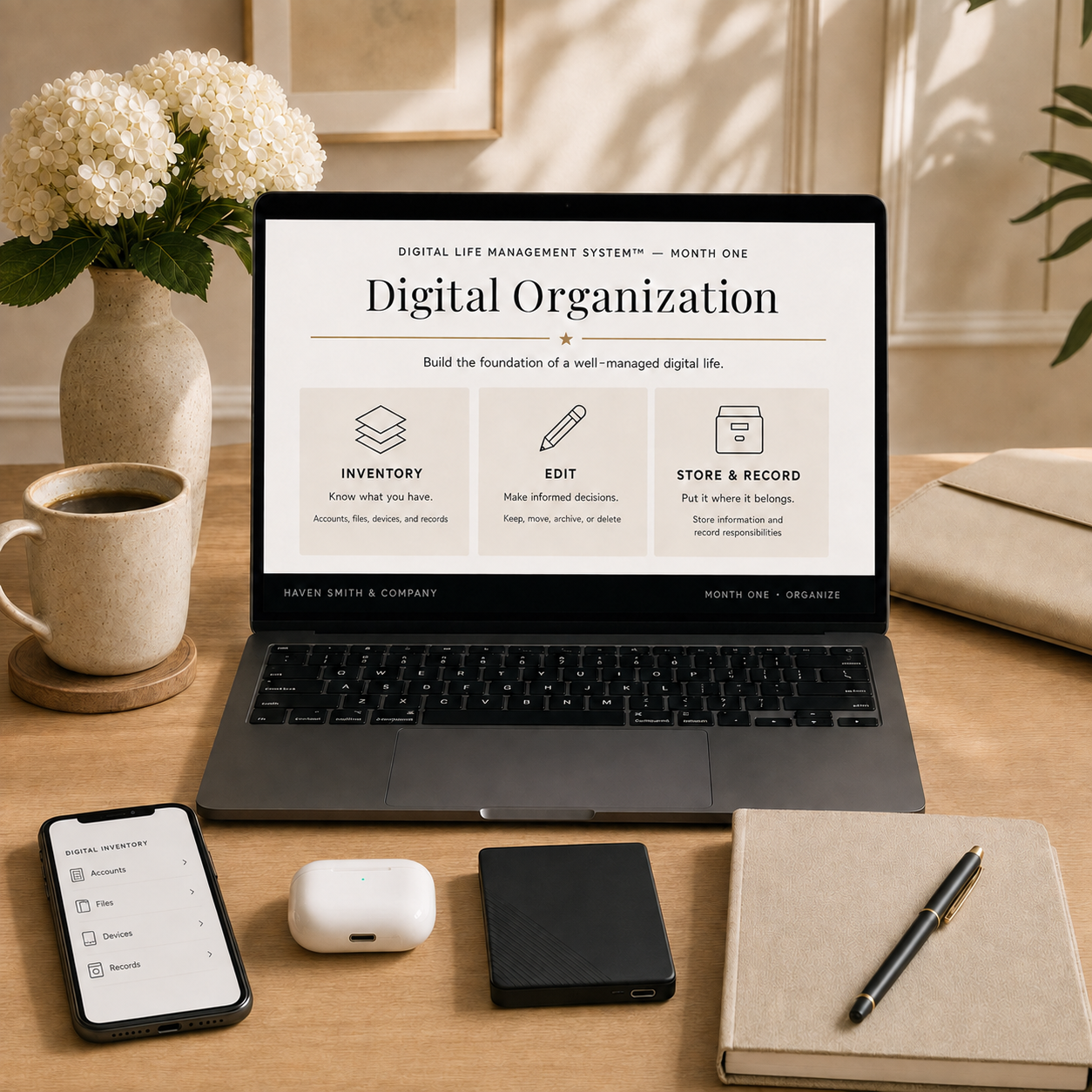
The Organize method has three stages: Inventory, Edit, and Store & Record. Each stage prepares you for the next.
Inventory helps you understand what you have. Edit helps you decide what should happen to it. Store & Record helps you give the remaining information an appropriate home and document what needs to be tracked.
Inventory: Know What You Have
Before you can organize your digital life, you need visibility.
An inventory gives you a practical overview of the accounts, devices, records, applications, storage locations, and responsibilities you manage. It does not require you to list every individual file. The purpose is to identify the major parts of your digital life and understand where information is currently located.
Your inventory might include:
Primary and secondary email accounts
Financial, healthcare, government, shopping, and subscription accounts
Computers, smartphones, tablets, and other connected devices
External drives and removable storage
Cloud-storage platforms
Applications and software subscriptions
Categories of personal, household, and business records
Digital photograph collections
Backup locations
Shared family or business resources
This process often reveals information that has been forgotten, duplicated, or spread across more locations than expected. It can also identify accounts connected to outdated email addresses, devices that still contain important files, and subscriptions that no longer serve a useful purpose.
An inventory turns a vague feeling of digital clutter into something you can evaluate.
Edit: Keep, Move, Archive, or Delete
Once you know what you have, you can begin making decisions.
Digital editing is not a contest to delete as much as possible. It is a process for deciding what each item needs.
Some accounts, files, applications, and records should remain active. Others should move to a better location. Some information needs to be archived for future reference. Other items may be outdated, duplicated, or unnecessary.
During this stage, you may consider:
Whether an account is still needed
Whether an application is still used
Whether a subscription should continue
Whether a file is current, outdated, or duplicated
Whether a record should remain readily available or move into an archive
Whether personal information is stored in a business location
Whether business records are mixed with household files
Whether an old device has been fully reviewed
Whether a storage location still serves a clear purpose
The decisions you make during the Edit stage reduce clutter, but they also clarify the role of what remains.
When you know why you are keeping something, it becomes easier to decide where it belongs.
Store & Record: Put It Where It Belongs
After you have made decisions, the remaining information needs a clear home.
Some information belongs in an active folder. Some should move into an archive. Some belongs in secure account-management tools. Some information may need to be documented in a spreadsheet. Certain records may require both a digital copy and a paper original.
The Store & Record stage helps you think about:
Primary storage locations
Folder structures
File names
Active and archived records
Account inventories
Device information
Application and subscription records
Backup copies
Shared family or business access
Recurring administrative responsibilities
The word “record” matters because folders cannot organize every part of a digital life.
An online account does not necessarily create a file you can place in a folder. A subscription may require recurring attention. A device may contain important information even when it is no longer used regularly. A family or business responsibility may need to be documented so that another authorized person can understand it.
Digital organization must account for both stored information and the responsibilities connected to it.
[Explore the Digital Organization Course]
Organizing Your Accounts
Most people have accumulated online accounts over many years. Some are used every day, while others have been forgotten. Important accounts may be connected to old email addresses, outdated phone numbers, or recovery methods that have never been reviewed.
Organizing your accounts begins with identifying the categories of accounts you manage. These may include email, finance, healthcare, insurance, shopping, utilities, government services, travel, social media, cloud storage, and business platforms.
From there, you can evaluate which accounts remain important, which require updated information, which should be documented, and which can be closed.
The purpose is not necessarily to create a list of every website you have ever visited. It is to establish visibility into the accounts that support your identity, finances, communications, records, household, and business.
Organizing Your Files
File organization begins with understanding where files currently live.
Documents may be stored on a computer desktop, in the downloads folder, inside email attachments, across several cloud platforms, on external drives, or on an old computer that has not been opened recently.
Before creating new folders, it helps to identify the categories of files you actually manage. These may include financial, healthcare, property, insurance, education, family, business, legal, and personal records.
A useful file structure should be simple enough to remember and broad enough to accommodate new information. It should also distinguish between records that are currently active and information that is being retained for reference.
The goal is not to build the most detailed folder structure possible. It is to make it easier to decide where a file belongs and where you should look for it later.
Organizing Your Devices
Computers, phones, tablets, external drives, and other devices all become part of your digital life.
Each device may contain files, photographs, applications, account access, saved login information, messages, or records. Even an older device may continue to hold information that has not been transferred or backed up.
Device organization includes more than arranging applications on a screen. It requires understanding which devices you have, what each device contains, how it is used, whether it is backed up, and what should happen before it is replaced, donated, recycled, or discarded.
A device inventory can also help you identify duplicate equipment, forgotten storage, and technology that continues to create maintenance responsibilities without providing much value.
Organizing Your Digital Records
Digital records support many of the most important areas of life.
They may include tax documents, financial statements, insurance policies, property information, medical records, household documents, education records, business agreements, licenses, warranties, and legal documents.
Some records are downloaded from online accounts. Others arrive by email. Some are created as paper documents and later scanned. Others exist only inside a service portal.
Organizing digital records requires decisions about which copies should be retained, where current records should live, what belongs in an archive, and how important documents can be located when needed.
It also requires understanding that record organization and record retention are not the same thing. Legal, tax, financial, business, and regulatory questions may require guidance from the appropriate qualified professional.
Digital Organization for Personal and Small-Business Life
Personal and business digital lives often overlap, particularly for small-business owners.
The same person may manage household bills, family records, business email, financial platforms, customer information, software subscriptions, social media accounts, website services, vendor records, and professional documents.
When personal and business information become mixed together, it can become difficult to determine who owns an account, where a record should be stored, which email address should be used, and what another authorized person would need if the owner were unavailable.
Digital organization can help a small-business owner examine:
Which accounts belong to the business
Which email addresses are used for business access
Where company files and records should be stored
Which subscriptions and platforms the business relies on
Which responsibilities depend entirely on the owner
Who else may require appropriate access
What should happen during an employee transition or extended absence
Which information should remain separate from personal records
The course provides a foundation for this work. A business owner with complex responsibilities may also benefit from a Digital Life Strategy Session or additional professional support.
What You Will Learn in the Digital Organization Course
The Digital Organization course guides you through the Organize pillar of the Digital Life Management System™.
You will learn how to identify the major parts of your digital life, inventory important resources, evaluate what you still need, and establish clearer places for the information you decide to keep.
The course is designed to help you:
Inventory accounts, files, devices, applications, and records
Understand where your information is currently stored
Identify unnecessary clutter and duplication
Decide what should be kept, moved, archived, updated, recorded, or removed
Create clearer homes for important information
Distinguish between active information and archives
Document resources that cannot be organized through folders
Build a foundation for ongoing maintenance
Prepare for the Protect and Prepare stages of Digital Life Management
You do not need to organize everything in one sitting. The course provides a guided way to work through the process and make progress over time.
[Buy the Digital Organization Course]
What the Course Will Not Do for You
The Digital Organization course will not automatically clean your computer, close accounts, sort every photograph, or make individual decisions about your information.
It provides professional education, a practical method, and guided activities. You remain responsible for reviewing your digital life, making decisions, and completing the work.
The course also does not replace legal, financial, tax, technical repair, data-recovery, or cybersecurity services. When a project requires specialized advice or access, you should work with an appropriately qualified professional.
These boundaries are important because digital organization involves personal decisions. The right arrangement depends on what you manage, what you need to retain, and how you use your information.
Is the Digital Organization Course Right for You?
The course may be a good fit if you:
Want to organize your digital life but do not know where to begin
Have information spread across several accounts, devices, or storage locations
Have completed isolated cleanups without creating lasting structure
Want guided education while completing the work independently
Need to organize both personal and small-business information
Want to build a foundation before addressing digital safety and preparedness
Are ready to begin the initial cleanup of your digital life
You do not need advanced technical knowledge. You do need a willingness to review what you have and make decisions about what should happen next.
When a Digital Life Strategy Session May Be a Better Starting Point
A self-guided course is not the right starting point for every situation.
A Digital Life Strategy Session may be more appropriate if you are managing several connected problems, preparing for a major transition, organizing complicated family or business responsibilities, or struggling to determine which project should receive attention first.
A session provides personalized professional guidance based on your circumstances. It can help you understand the scope of the work, establish priorities, and decide which courses, resources, or services best fit your needs.
If you know that digital organization is the correct starting point and you are ready to work through the process, begin with the course. If you are still trying to understand the larger problem, consider a Strategy Session first.
[View Digital Life Strategy Sessions]
How Digital Organization Fits Into the Three-Month Cleanup
Digital Organization is Month One of the initial cleanup within the Digital Life Management System™.
It comes first because it is difficult to protect or prepare information that has not been identified.
Once you understand what accounts, files, devices, records, and responsibilities you manage, you are better prepared to strengthen digital safety. You can identify which accounts deserve the most attention, where recovery information needs to be updated, which devices require protection, and what should be backed up.
Organization also supports digital legacy and estate planning. Before you can prepare information for an emergency, incapacity, or future administration, you need to know what exists and where it is located.
The Digital Organization course can be purchased independently. If you want to complete the full initial cleanup, the Digital Life Management Course Bundle guides you through all three stages:
Digital Organization
Digital Safety
Digital Legacy and Estate Planning
[Explore the Digital Life Management Course Bundle]
Maintaining Your Digital Organization
Your digital life will continue to change after the initial cleanup.
You will open new accounts, create files, replace devices, download applications, receive records, change subscriptions, and take new photographs. Personal, family, and business responsibilities will also change over time.
Maintenance keeps the structure useful.
Depending on your needs, maintenance may include reviewing downloads, processing new records, updating your inventory, archiving older information, removing unused applications, evaluating subscriptions, checking storage locations, and reviewing devices.
You may complete some tasks weekly and others monthly, quarterly, or annually. The appropriate schedule depends on how much information you manage and how frequently it changes.
The purpose of maintenance is not to preserve a perfect arrangement. It is to prevent ordinary digital activity from becoming difficult to understand again.
Build the Foundation First
Digital organization does not begin with deleting as many files as possible. It begins with understanding what you manage.
When you know what you have, you can make better decisions about what to keep, move, archive, record, update, or remove. You can establish clearer homes for important information and reduce the number of places you need to search.
That foundation makes digital safety and preparedness more effective. It also makes ongoing maintenance more manageable.
The Digital Organization course gives you a practical way to begin. It guides you through your accounts, files, devices, applications, and records so that you can build an organized foundation for the rest of your digital life.
Start Your Digital Organization
Learn how to inventory what you have, make informed decisions, and establish a foundation you can maintain.
[Buy the Digital Organization Course]
Want to complete the full three-month initial cleanup?
[Explore the Digital Life Management Course Bundle]
Not ready to purchase? Download the Digital Organization Quick Start Guide for an introduction to the Digital Life Management System™ and practical steps you can begin using today.
Frequently Asked Questions
What is a digital organization course?
A digital organization course teaches you how to review and organize the accounts, files, devices, records, applications, and information that support your life. It provides a structured way to inventory what you have, make decisions, and establish clearer places for what you keep.
Is this only a file-organization course?
No. Files are one part of digital organization. The course also addresses accounts, devices, applications, storage locations, records, and digital responsibilities that cannot be managed through folders alone.
Do I need to be good with technology?
You do not need advanced technical knowledge. The course is designed for adults who use everyday digital accounts, devices, applications, and online services.
Will the course organize my digital life for me?
No. The course provides professional instruction, a practical method, and guided activities. You complete the work and make decisions about your own accounts, information, devices, and records.
How long does digital organization take?
The amount of time required depends on how many accounts, devices, files, records, and years of digital activity you need to review. The course helps you approach the work in stages rather than treating it as one enormous cleanup.
Should I organize my accounts or files first?
Begin by creating an inventory of the major parts of your digital life. Once you understand what you manage and where it is located, you can determine the best order for individual cleanup projects.
Is the course appropriate for small-business owners?
Yes. The course can help small-business owners examine both personal and business accounts, files, devices, applications, subscriptions, records, and responsibilities. More complex business situations may also benefit from a Digital Life Strategy Session.
What is the difference between the course and the Digital Life Management Workbook™?
The course teaches the Digital Organization method and guides you through the cleanup process. The Digital Life Management Workbook™ is a spreadsheet for inventorying and tracking accounts, records, devices, and digital responsibilities.
What is the difference between the course and a Strategy Session?
The course provides guided education that you work through independently. A Digital Life Strategy Session provides personalized professional guidance based on your circumstances, questions, and priorities.
Is the Digital Organization course included in the Course Bundle?
Yes. Digital Organization is Month One of the initial cleanup and is included in the Digital Life Management Course Bundle with Digital Safety and Digital Legacy and Estate Planning.