
Preparation Creates Breathing Room: Six Digital Life Lessons From This Week
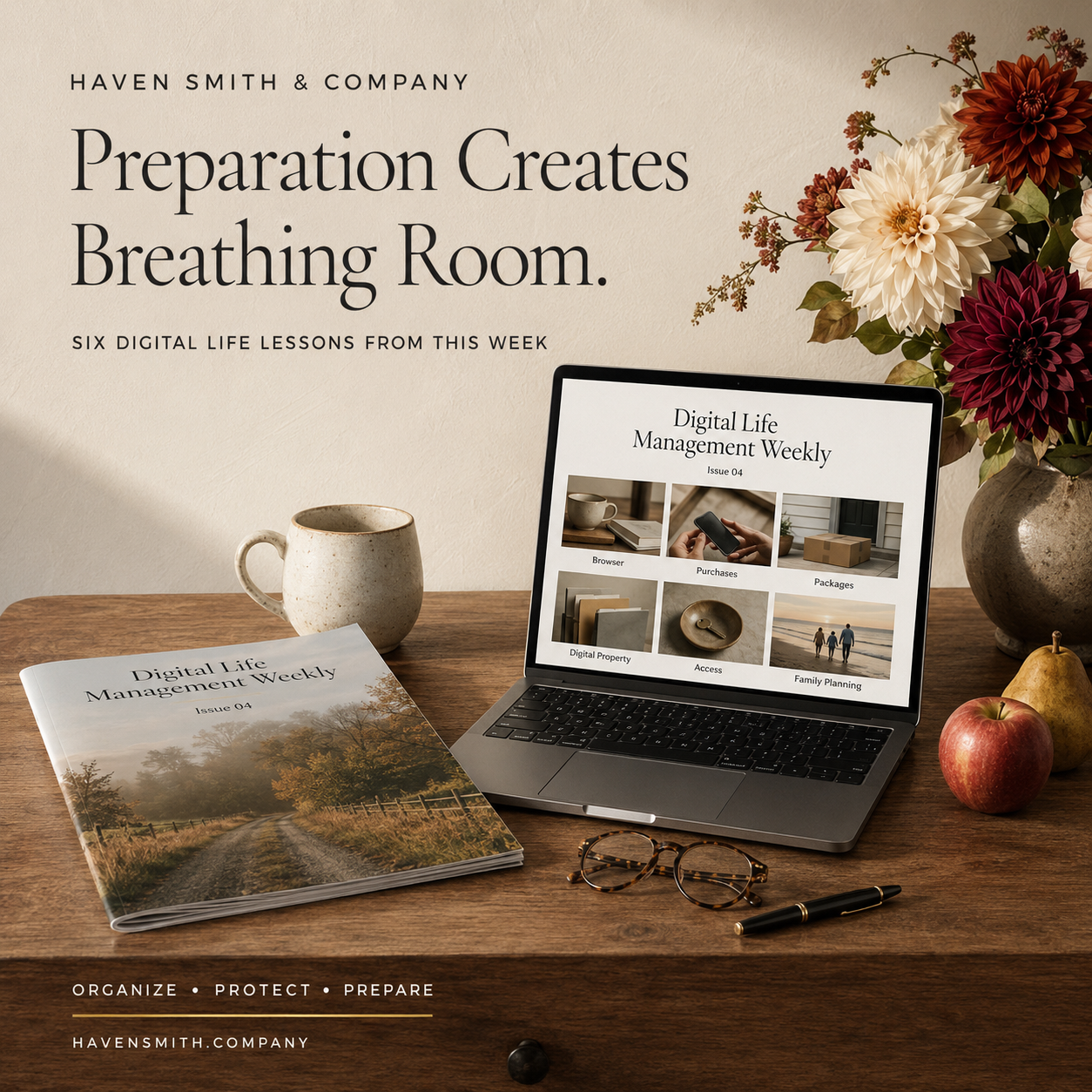
Download Issue 04 of Digital Life Management Weekly, published September 27, 2026. This complimentary edition brings together practical lessons to help you organize what you have, protect what matters and prepare for what comes next for your digital life—all in one beautifully designed publication you can save, print, share or return to whenever you need it.
The busiest months become easier when the systems supporting your accounts, purchases, family, organization and digital property are prepared before they are urgently needed.
The first cooler evenings do not mean you need to begin racing toward the end of the year.
They offer something more useful: an early signal that the pace will soon change.
School responsibilities, work deadlines, travel, shopping, family gatherings, year-end decisions and caregiving can gradually accumulate until every unfinished detail feels urgent. Digital Life Management creates a different possibility. We can build the systems before we need them under pressure.
This week’s articles looked at six areas where a little preparation now can create substantial breathing room later.
If You Read Only One Thing
Preparation is not predicting every future need. It is creating dependable places, processes and responsibilities so ordinary demands do not become avoidable emergencies.
1. An Open Tab Is Not a Task System
Your browser can contain active work, reference information, shopping research, school portals, forms, articles and dozens of unfinished decisions.
Tabs keep information visible, but they do not explain what should happen next. Important work should be represented in a trusted task or project system. Pages that support the work can then be bookmarked, grouped or closed appropriately.
A short browser reset can:
Preserve current work
Separate reference from reading
Close stale tabs
Organize recent downloads
Reduce unnecessary extensions
Separate personal and professional browsing
Read: Give Your Browser a 20-Minute Reset
2. A Receipt Is Useful Only if You Can Find It in Time
Purchase information can be distributed across email, retailer accounts, payment applications, package inserts and paper receipts.
A purchase record gives the transaction a clear status. It records the order number, delivery, return deadline, warranty, serial number and location of the final receipt.
This becomes especially valuable as household purchasing increases. The system should exist before you are tracking several deliveries and returns at once.
Read: Create a Digital Purchase Record Before You Need a Receipt, Return, or Warranty
3. Verify an Unexpected Package Independently
The FTC recently warned about brushing scams in which sellers send inexpensive unordered products and use the delivery to support fake reviews.
Some packages also contain QR codes that supposedly reveal the sender or begin a return. The code may lead to a phishing website.
Do not use instructions enclosed inside an unordered package. Check shopping accounts and contact the marketplace through its official application or website.
Read: That Unexpected Package Could Be a Brushing Scam
4. Digital Access Is Not Necessarily Digital Ownership
Paying for digital content does not always create a transferable asset.
Ebooks, movies, games, applications and other media may be licensed for personal use through a specific account. Family-sharing features can provide access during life without creating something each family member independently owns or inherits.
A digital estate inventory should distinguish among:
Licensed platform content
Subscriptions
Shared purchases
Independently owned files
Digital property with financial or business value
Read: Can Your Family Inherit Your Ebooks, Movies, and Other Digital Purchases?
5. Access Should End When the Responsibility Ends
Employees, contractors, agencies, vendors and volunteers often receive access for legitimate reasons. That access may remain long after the project or relationship ends.
Every important organizational system needs:
A business owner
An administrator
A current user list
Appropriate permission levels
An authorized backup
A documented offboarding process
A recurring access review
The fourth quarter should not begin with former vendors or inactive accounts still holding unnecessary access.
Read: Who Can Still Access Your Organization’s Data?
6. A Family Calendar Is Not a Complete Family System
A calendar tells the household when something is happening. It may not identify who is responsible, which document is required or what must happen next.
A shared planning hub can connect:
Dates
Responsibilities
Contacts
Decisions
Supporting documents
Travel and gathering details
Caregiving and school information
The system makes invisible planning work easier to share without making every private family record available to everyone.
Read: Create a Shared Family Planning Hub Before Life Gets Busy
One Thing to Do This Week
Choose one system that will experience more pressure between October and December:
Shopping and receipts
Family scheduling
Travel
Account security
Organizational access
Digital property
Browser-based work
Ask four questions:
Where does the information currently live?
Who is responsible for maintaining it?
What usually goes wrong when the volume increases?
What simple system could prevent that problem?
Complete one improvement before October begins.
Preparation Is a Form of Care
Digital preparation is not about controlling every possible outcome. It is about reducing the number of ordinary situations that become unnecessarily difficult.
A receipt that can be found, an account that is appropriately secured, a family responsibility that has an owner and a digital asset that has been documented all provide the same benefit: the right information is available to the right person at the right time.
The calendar will continue moving. The pace will change. A prepared digital life gives you more room to participate in the season rather than continually recovering from it.
Resources Outside Haven Smith & Company
Haven Smith & Company Resources
Subscribe to Digital Life Management Weekly:
https://www.havensmith.company/free-weekly-emailFree Digital Life Management resources:
https://www.havensmith.company/start-hereDigital Life Management Course Bundle:
https://www.havensmith.company/bundleNot sure where to begin? Take the free two-minute quiz and get the one thing to do next:
Take the quiz
Haven Smith & Company provides practical education, tools, and guidance to help individuals, families, professionals, businesses, and institutions organize, protect, and prepare their digital lives with confidence.
Free · Two minutes
Where does your digital life stand?
Nine questions on organizing, protecting and preparing. You get your level and the one thing worth sorting out first.
Take the free quizFree · Nine questions · No account needed